
 See Our Latest Article on HelloNation
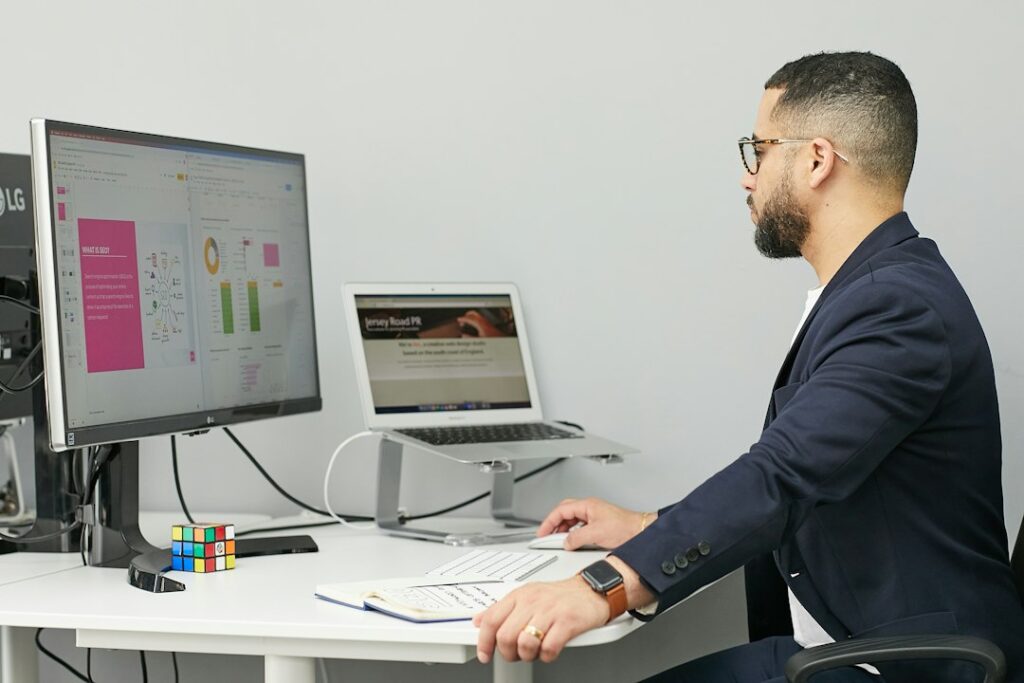
Office work can place steady stress on the neck, shoulders, wrists, hips, and lower back, even when the job does not involve heavy lifting. The most helpful approach is usually not finding one “perfect” posture, but creating a workstation that supports neutral alignment and allowing the body to move regularly.
For residents of Camillus, NY, this guidance can apply to traditional offices, home workspaces, hybrid schedules, and temporary setups used during colder months when more work and daily activity take place indoors.
What causes aches and stiffness during desk work?
Most office-related discomfort develops from a combination of prolonged sitting, repeated hand movements, awkward screen positioning, and too little movement during the day. A chair or desk does not need to feel obviously uncomfortable to contribute to strain.
Common contributors include:
- Looking downward at a laptop for several hours
- Reaching forward for a mouse or keyboard
- Sitting with the lower back unsupported
- Holding the phone between the ear and shoulder
- Keeping the same posture through long meetings
- Working at a kitchen table, couch, or bed without proper support
- Using a screen with glare that causes squinting and forward head posture
Muscles may become tired before pain appears. Early signs can include frequent shoulder shrugging, headaches near the base of the skull, tight hip flexors, wrist fatigue, or stiffness when standing after sitting.
How should a desk be adjusted?
A useful workstation allows the head, trunk, arms, and legs to remain relatively neutral. The goal is comfortable support, not rigid stillness.
Start with the chair:
- Keep both feet supported on the floor or on a stable footrest.
- Adjust the seat so the knees are approximately level with, or slightly lower than, the hips.
- Use the backrest to support the lower back rather than leaning forward continuously.
- Leave a small space between the front edge of the seat and the backs of the knees.
- Keep the shoulders relaxed instead of lifting them toward the ears.
The keyboard and mouse should be close enough that the elbows remain near the sides of the body. The forearms should be roughly parallel to the floor, with the wrists straight rather than bent upward or sideways.
Armrests can help if they allow the shoulders to relax. If they force the shoulders upward or prevent the chair from moving close enough to the desk, they may need adjustment or may be better left unused.
Where should the monitor be placed?
A monitor that is too low often encourages the head and neck to bend forward. A monitor that is too far away can cause leaning and squinting.
For many people, the screen works best when:
- The top portion of the display is near eye level or slightly below it
- The screen is about an arm’s length away
- The face and torso point toward the screen rather than twisting to one side
- Bright reflections and window glare are reduced
- Text size is large enough to read without leaning forward
Laptop users face a common compromise: raising the screen improves neck position but may raise the keyboard too high. For extended laptop work, a separate keyboard and pointing device can allow the screen and hands to be positioned more appropriately.
Is sitting up straight all day the answer?
No. Holding one posture—even a well-aligned posture—for too long can lead to fatigue. The body generally benefits more from changing position regularly than from trying to maintain a stiff, perfectly upright pose.
Useful changes include:
- Standing during part of a phone call
- Walking briefly between tasks
- Alternating between typing, reading, and non-computer duties
- Rolling the shoulders gently and moving the neck through a comfortable range
- Adjusting the chair back or seat position occasionally
- Taking short movement pauses before discomfort becomes intense
A brief pause does not need to become a formal exercise session. Standing, walking a short distance, or changing the visual focus away from the screen can interrupt the cycle of static loading.
What should home office workers watch for?
Home workspaces often develop around available furniture rather than ergonomic design. A dining chair, counter, or sofa may be suitable for short periods but less comfortable for a full workday.
A few practical improvements can make a temporary workspace safer:
- Place a firm cushion behind the lower back if the chair lacks support.
- Use a box or footrest if the feet do not reach the floor.
- Raise a laptop with stable books or a stand, then use a separate keyboard.
- Keep frequently used items within easy reach.
- Avoid working from bed for long periods, since the rounded posture is difficult to maintain comfortably.
- Check the setup at different times of day, especially if winter lighting creates screen glare.

In smaller homes, the same table may serve several purposes. Rather than seeking a permanent arrangement, consider a setup that can be adjusted and put away without requiring awkward lifting or twisting.
Can stretching prevent office-related pain?
Gentle movement can reduce stiffness, but stretching alone cannot correct a workstation that repeatedly places the body in a strained position. Stretching should feel mild and controlled, never forced.
Comfortable options may include:
- Opening and closing the hands several times
- Gently drawing the shoulder blades back and down
- Rotating the ankles after prolonged sitting
- Standing and extending the hips
- Moving the neck slowly within a pain-free range
- Taking a short walk after a long meeting
Avoid bouncing, forcing a joint to “crack,” or continuing an exercise that causes sharp, radiating, or worsening symptoms.
When should office discomfort be evaluated?
Occasional stiffness that improves with movement is often manageable with workstation changes and regular activity. Symptoms deserve closer attention when they persist, repeatedly interfere with work, or continue despite adjustments.
Prompt medical evaluation is appropriate for back or neck pain accompanied by:
- New weakness in an arm or leg
- Numbness that is spreading or persistent
- Loss of coordination or balance
- Severe pain after a fall or collision
- Loss of bladder or bowel control
- Fever, unexplained weight loss, or feeling acutely unwell
- Pain that is constant, worsening, or disturbing sleep
Chiropractic care may be one part of conservative management for some musculoskeletal complaints, but it should not replace evaluation when warning signs are present. A careful assessment should consider the symptoms, medical history, work demands, and whether additional medical care is needed.
What is the simplest daily checklist?
Before beginning work, check whether the screen is easy to view, the elbows are close to the body, the lower back is supported, and the feet are stable. During the day, pay attention to early signs such as shoulder elevation, jaw clenching, wrist bending, or leaning closer to the screen.
A practical routine is to:
- Recheck the workstation at the start of the day
- Change position regularly rather than waiting for pain
- Stand or walk briefly during long blocks of computer work
- Keep phones and frequently used items close
- Adjust the setup when working from a different room
- Treat recurring symptoms as useful feedback rather than something to ignore
The most sustainable office setup is one that supports movement, reduces unnecessary reaching, and can be adjusted to fit the person using it.
